Billing contacts and finance access
Separate invoice notification recipients from permission to manage billing.
Billing contacts receive organization finance communications. Finance permissions determine which billing records and controls they can use. Manage both deliberately when assigning responsibility for payments.
Configure recipients
You need the Owner role, Billing Contact role, or the corresponding custom billing permissions to manage recipients.
- In Console, select the organization and open Organization Settings → Billing → Contacts.
- Select Add contact, enter the approved finance address, and select the notification categories.
- Save the contact and check the resulting recipient list. If validation fails, correct the indicated field before saving again.
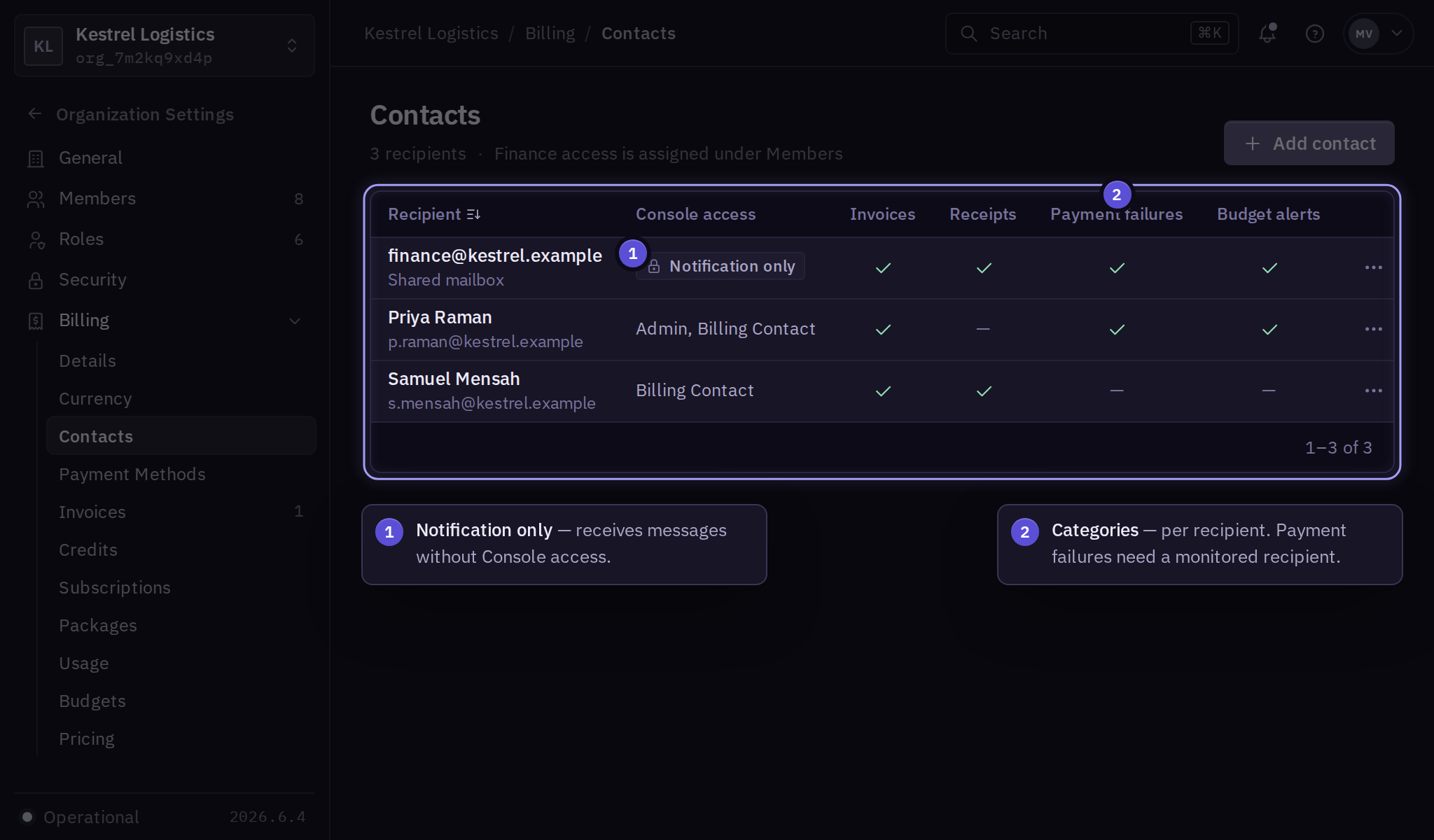
Use a business-managed mailbox for invoices when your finance team requires continuity. Keep payment failure notifications assigned to a monitored recipient who can arrange corrective action.
Grant billing access
Follow role assignment to grant the finance colleague the Billing Contact role or the required custom billing permissions. Have the colleague sign in and open Billing → Invoices to confirm document access.
A notification-only recipient receives messages without gaining Console access. Assigning a finance role does not automatically add every shared mailbox to the recipient list.
Hand over finance responsibilities
Add the replacement recipient and grant the required permissions before removing the outgoing colleague. Confirm that finance can retrieve a recent invoice, identify the next renewal, and update the payment method.
Remove obsolete recipients from Billing → Contacts and review the outgoing colleague's role in Organization Settings → Members. Follow offboarding for a departure.
For custom invoice routing or a procurement portal, contact billing support with the delivery requirements.