Business billing details and tax
Maintain the legal payer, invoicing address, and tax identifiers for your organization.
Billing details identify the business paying for Solarius. In Console, select the organization and open Organization Settings → Billing → Details. The owner, Billing Contact, or a custom role with billing-profile management permission can edit this profile.
Update the payer profile
- In Billing → Details, enter the legal business name, registered billing address, and company registration information requested by the form.
- Open Tax information and enter the business's tax country and tax identifier.
- Select Save changes and reopen the page to confirm the saved values.
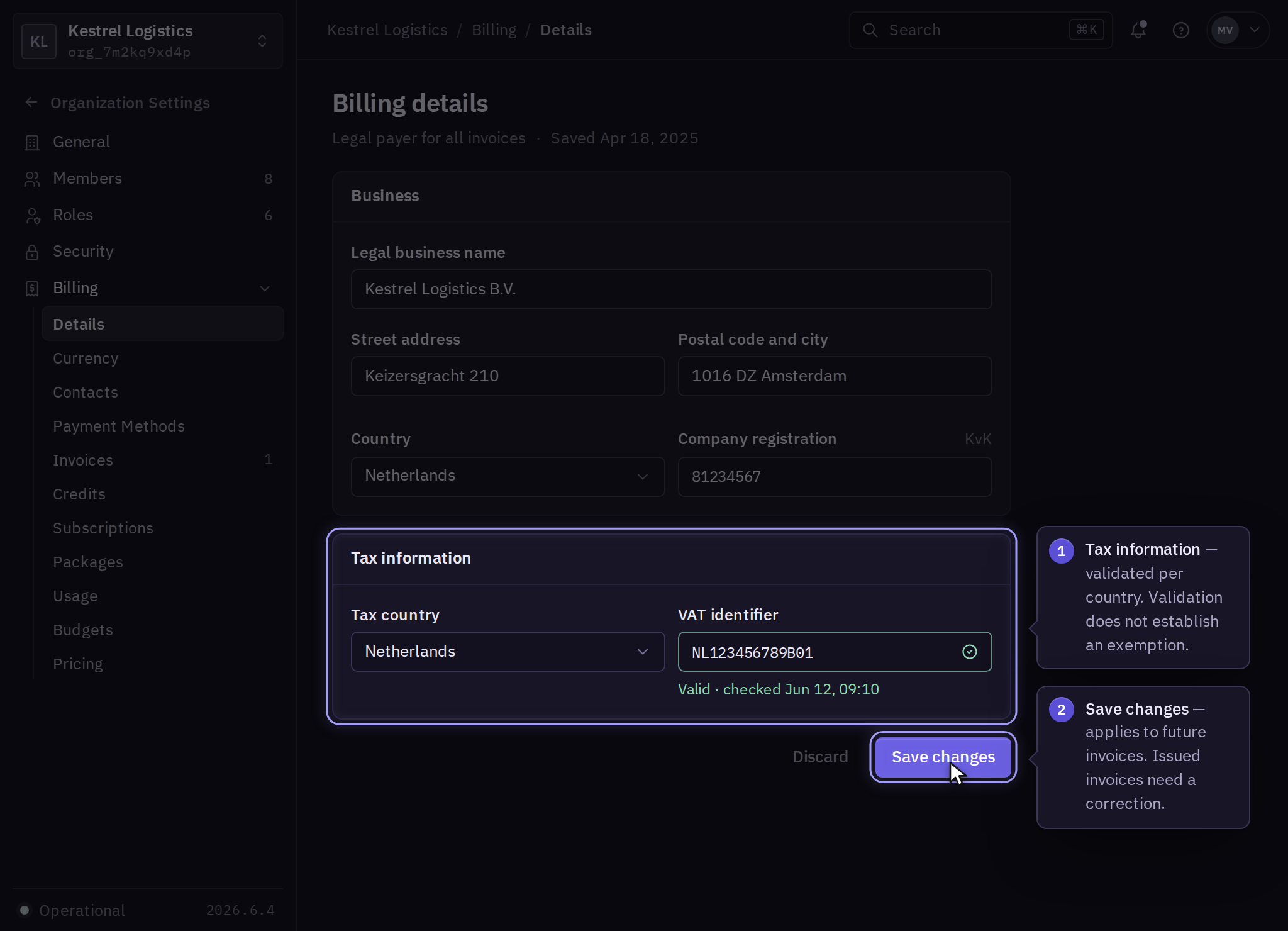
Check validation messages beside a tax identifier. Correct the entered country and identifier if validation fails. If the details are correct but remain rejected, contact billing support with the business name, organization, and error. Supply sensitive supporting documents through the channel agreed with billing.
Regional tax setup
Use regional billing for country-specific registration and payment steps, including mainland China. Tax review uses the legal payer and billing address.
Exemptions and issued invoices
Entering a tax identifier does not itself establish eligibility for an exemption or a particular tax treatment. Ask billing to confirm any exemption request and the supporting documentation required for the organization.
Inspect the next invoice for the expected business information and tax treatment. Updating a profile does not rewrite an already issued invoice. Request a correction through invoices and receipts.
Change the contracting entity
Contact billing before substituting another legal entity so the contract and payment responsibilities can be reviewed.