Subscriptions and seats
Purchase product seats, assign access, and schedule quantity changes.
A product seat licenses one person with access to that product, including read-only access. Manage purchased quantities under Organization Settings → Billing → Subscriptions in Console.
Infra and Guard support 1–500 purchased seats. Status includes 3 seats and supports total quantities from 3–500. A person using several products needs a seat in each. Finance-only users, service accounts, agents, and public page subscribers do not consume human seats.
Increase seats
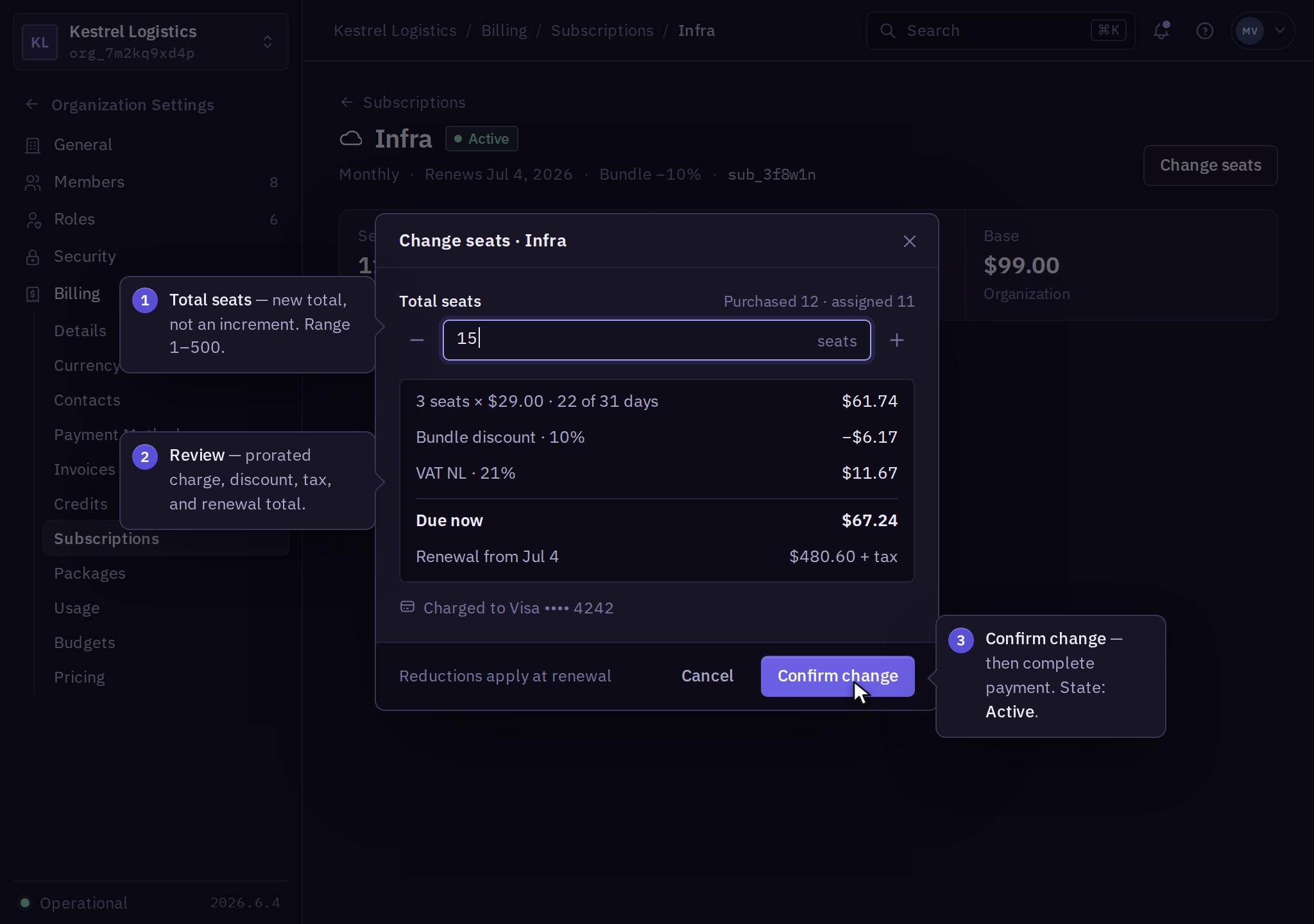
- As the owner or Billing Contact, open Billing → Subscriptions → Product → Change seats.
- Enter the new total quantity.
- Review assigned users, the prorated charge, discounts, tax, and renewal total.
- Select Confirm change and complete payment.
- Check the purchased quantity and Active state. A product administrator can then assign the additional access.
Assignments above purchased quantity show Capacity blocked and grant no product access. Organization invitations do not automatically purchase seats. Directory-managed assignments follow the same limit.
If payment is Pending, resolve it before retrying the assignment. After an interrupted purchase, inspect the subscription and invoice before submitting again.
Reduce seats
- Have a product administrator remove unneeded product access through the affected product's access controls.
- As the owner or Billing Contact, open Billing → Subscriptions → Product → Change seats and enter the lower total quantity.
- Review the renewal quantity and effective date, then confirm the change. Reopen the subscription to check the scheduled quantity.
Reductions take effect at renewal. A quantity below assigned users is rejected; check the product's assigned-user count before reviewing the reduction again.
Removing an organization member does not reduce the purchased quantity automatically. Follow offboarding for their sessions and credentials.
Guard endpoint capacity and Status monitor capacity use packages, not human seats. To end a subscription, use cancellation.