Payment methods
Add a default collection method or pay an invoice with a wallet.
Manage automatic collection under Organization Settings → Billing → Payment Methods in Console. The owner or Billing Contact can change payment methods.
Cards support USD, EUR, and GBP invoices. SEPA debit requires an accepted EUR mandate; ACH debit requires an approved U.S. bank account. Regional billing lists the methods offered for each location.
Add or replace a default
- Select Add payment method and choose the method.
- Enter payment details in the provider's form and complete its verification.
- Return to Console and check for Ready, Active, or Verified.
- Open the method's menu and select Set as default. Confirm the Default marker before removing the old method.
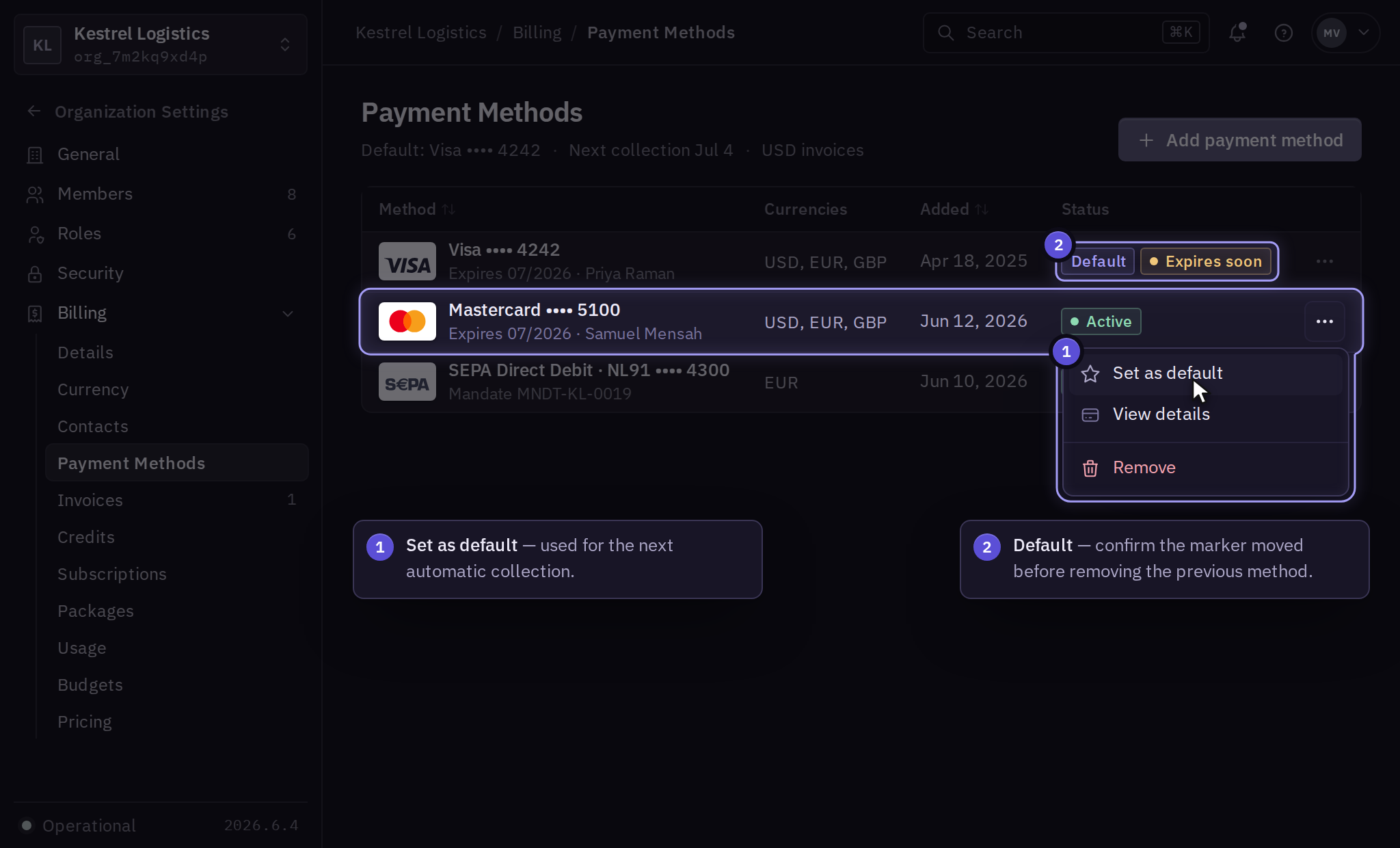
For Verification required, select Complete verification. If it fails, send the displayed error to billing support. Removal is blocked when an automatic-collection subscription still requires a valid replacement.
Pay with a wallet or transfer
Mainland China supports Alipay, WeChat Pay, and UnionPay. Start wallet payments from Billing → Invoices → Invoice → Pay invoice. Wallet payments approve that invoice; they do not become a saved renewal method.
For a bank transfer, obtain invoice-term approval and use the instructions printed on the invoice.
Outstanding invoices
After updating a method, open the unpaid invoice and inspect its payment attempts. Use Pay invoice if collection is still required. Wait for a pending payment's result or contact billing with its reference before submitting another payment.