Use Solarius Console
Navigate Console and distinguish personal, organization, billing, and product settings.
Solarius Console is the main place to manage Solarius. Use it for organization administration, account settings, subscriptions, invoices, and payments. Solarius Identity is the authentication system used during sign-in and security verification.
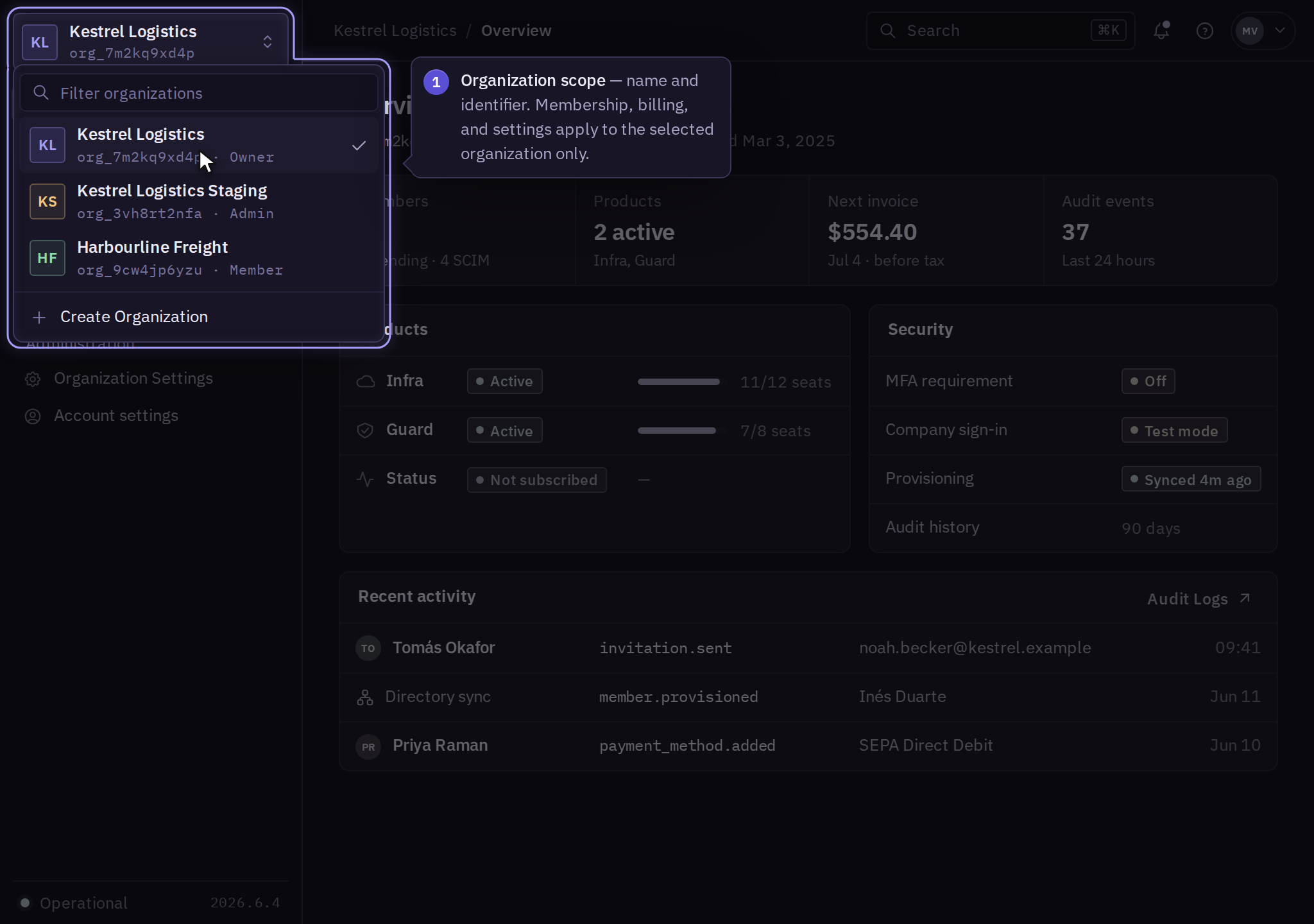
Choose the organization first
Before changing members, payment details, or services, select the intended organization in Console. Confirm its name and, when displayed, its identifier. Similar names can belong to different businesses or environments.
A person can work with more than one organization. Membership, permissions, subscriptions, and billing belong to the selected organization. Switching organizations does not move resources or copy permissions.
Find a management task
Choose the starting point for the record you need to manage:
| Task | Starting point in Console | Guide |
|---|---|---|
| Manage your own details | Account settings | Account profile |
| Manage colleagues | Organization Settings → Members | Members and invitations |
| Review authentication requirements | Organization Settings → Security | Organization policies |
| Manage payments and documents | Organization Settings → Billing | Organization billing |
| Investigate administrative activity | Organization Settings → Security → Audit Logs | Audit logs |
| Operate an enabled product | Open that product for the selected organization | Product resources |
A missing or disabled control can reflect your role, organization policy, or the purchased service. Ask an administrator to check your permissions before requesting a subscription change.
Sign-in redirects
Console can send you to Identity to authenticate, complete MFA, or verify a sensitive change. Complete authentication and return to Console for the management task.
For sign-in loops, expired invitations, and missing organizations, use troubleshooting.