Organization access policies
Configure MFA, sessions, and invitation restrictions for your organization.
Organization access policies constrain access to your business's Solarius organization. The owner or an authorized administrator manages them in Organization Settings → Security in Console. General service and legal policies are listed separately under Solarius policies.
Authentication settings
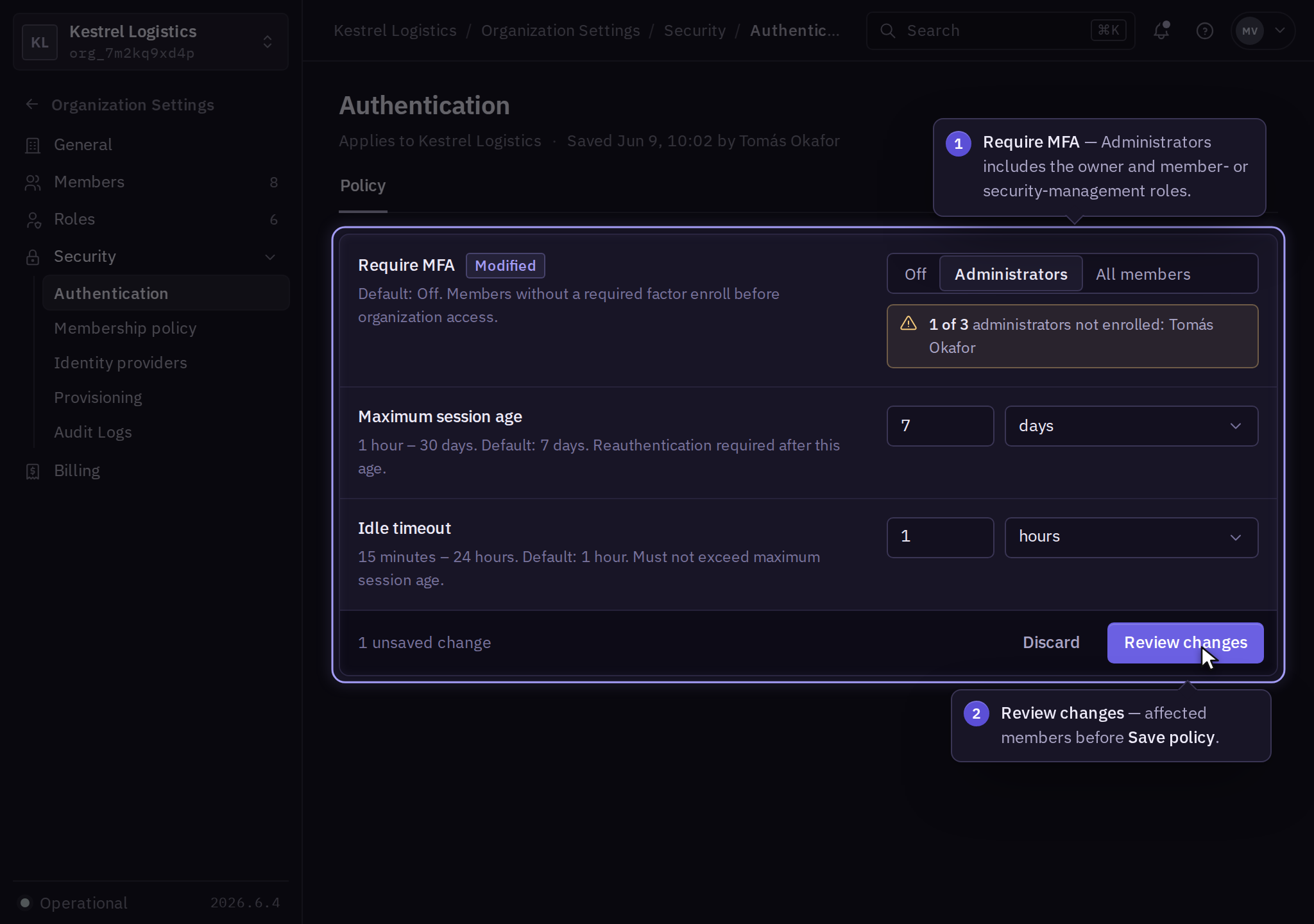
Open Security → Authentication → Policy to configure these authentication requirements:
| Setting | Default | Values and behavior |
|---|---|---|
| Require MFA | Off | Off, Administrators, or All members. Administrators includes the owner and anyone with security or member-management permissions. |
| Maximum session age | 7 days | A duration from 1 hour through 30 days. Organization access requires reauthentication after this age. |
| Idle timeout | 1 hour | A duration from 15 minutes through 24 hours. Must not exceed maximum session age. |
Omitted fields retain their saved values. Invalid durations or combinations reject the update and preserve the prior policy. These settings gate access to this organization; they do not delete a person's account or change another organization's policy.
Before requiring MFA, confirm affected members are enrolled. Select Review changes, inspect affected members, and choose Save policy. Confirm the saved values, then test a new sign-in with an affected account. A member who lacks a required factor must enroll before accessing the organization.
For immediate session removal, use Organization Settings → Members → Member → Sessions → Revoke all. A policy edit is separate from explicit session revocation.
Invitation restrictions
Open Security → Membership policy. Set Allowed email domains and Who can invite, then select Review changes → Save policy. An empty domain list permits any email domain; Who can invite defaults to Owners and admins. Domain entries must be exact domain names without an @ prefix or wildcard.
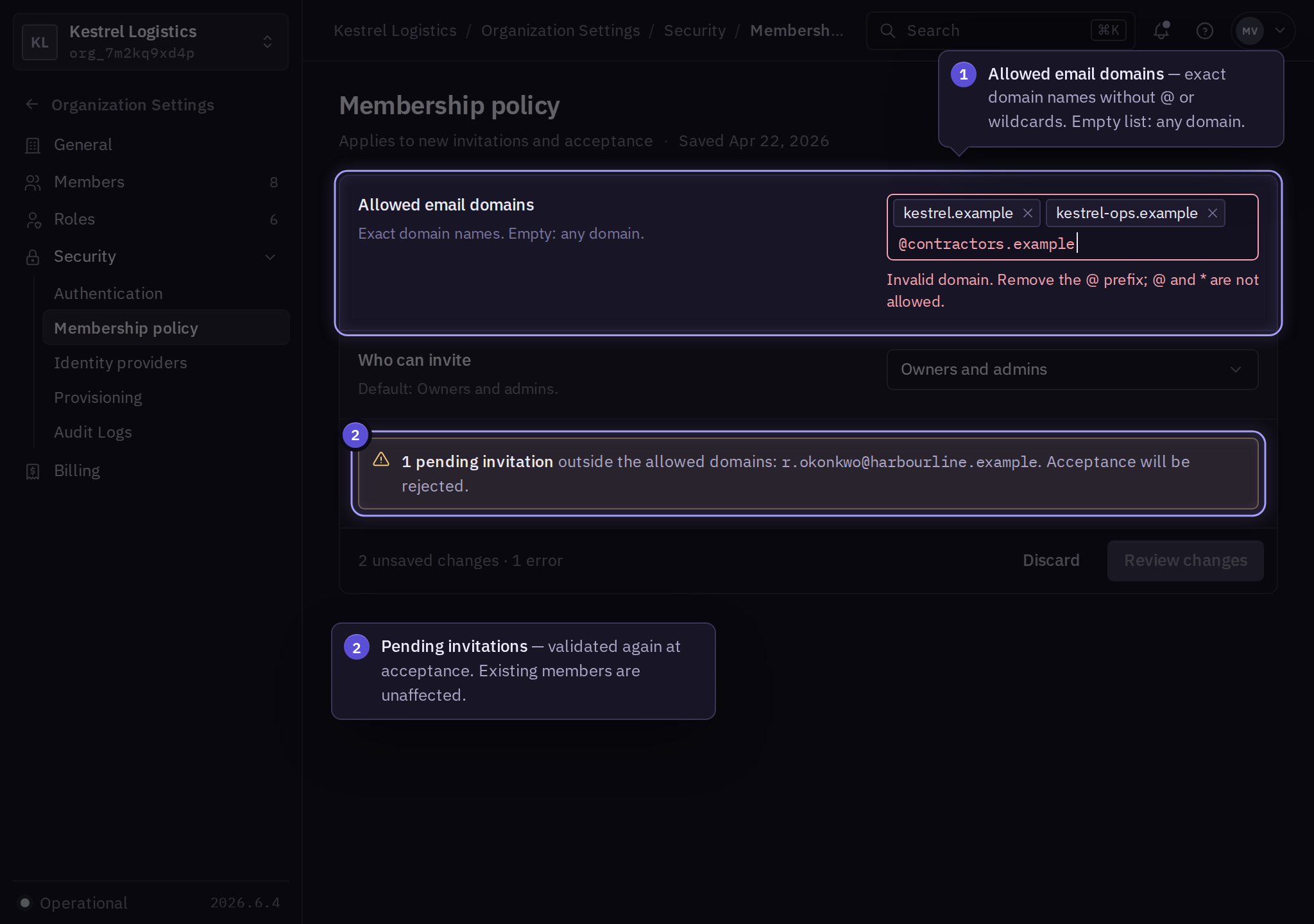
Restrictions validate new invitations and acceptance. Existing members remain members until explicitly removed. Review pending invitations after tightening the policy.
Company sign-in and other controls
Configure provider enforcement through company sign-in and lifecycle synchronization through directory provisioning. Use product documentation for resource policy, API restrictions, and deployment controls. Budget alerts and enforced limits have separate billing scopes.
Review saved changes under audit logs. If a test fails, use an authorized administrator's session to restore the previous policy or contact support with the organization and failure.