Members and invitations
Invite colleagues, change membership, and resolve invitation problems.
Manage colleagues in Organization Settings → Members in Console. The owner and administrators can manage local membership. Directory-managed memberships use the provisioning controls.
Invite a colleague
- Select the organization and open Organization Settings → Members → Invite member.
- Enter the colleague's work email and select the required roles.
- Review the address and permissions, then select Send invitation.
- Check the Invitations tab for the Pending entry.
- After the colleague accepts using the addressed account, check the Members tab for Active membership. Have the colleague open the intended product to confirm access.
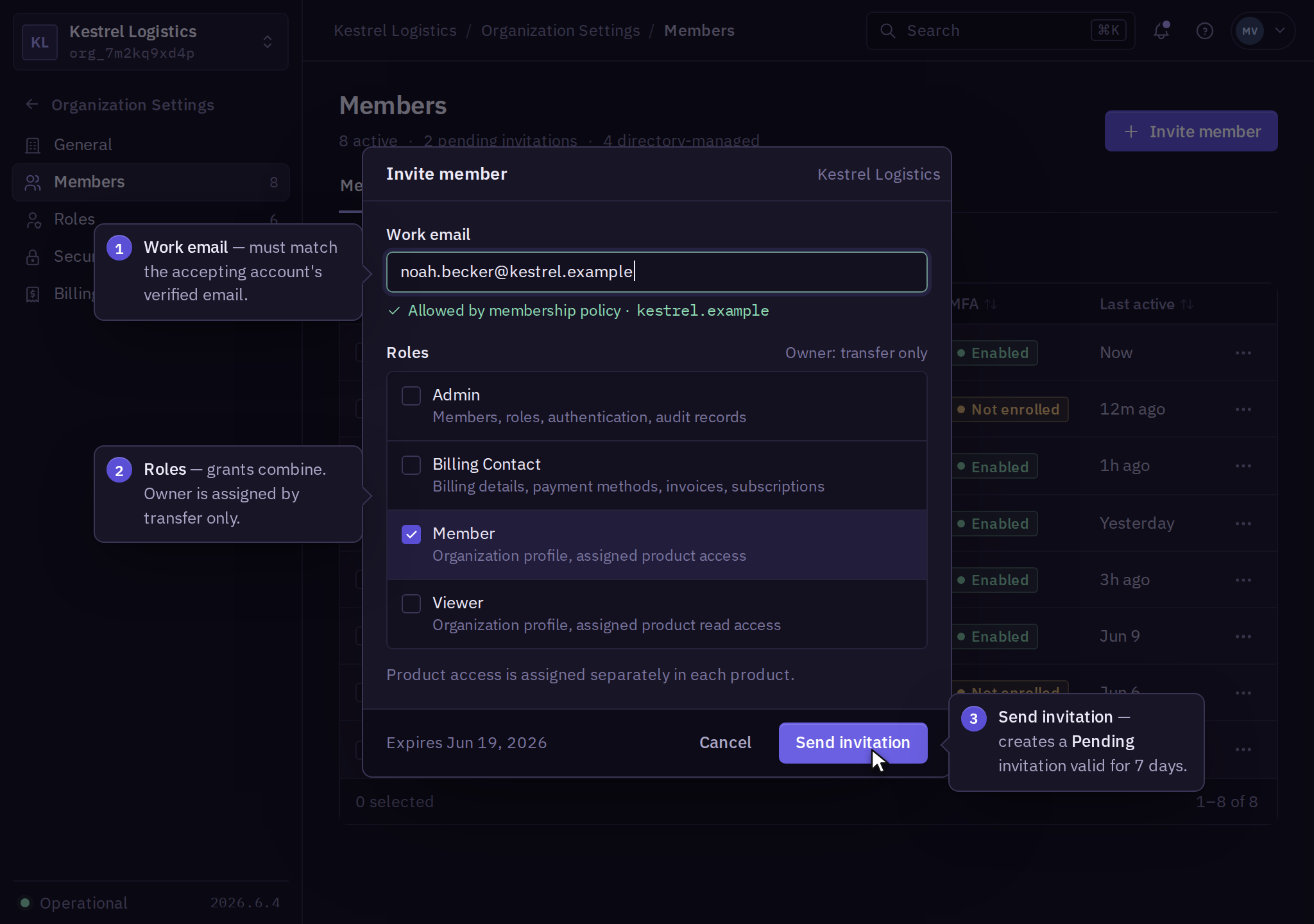
An invitation expires after 7 days. Acceptance requires the account's verified email to match the invitation. A pending invitation grants no organization access. Changing the recipient requires revoking the original invitation and sending a new one.
Replace or revoke an invitation
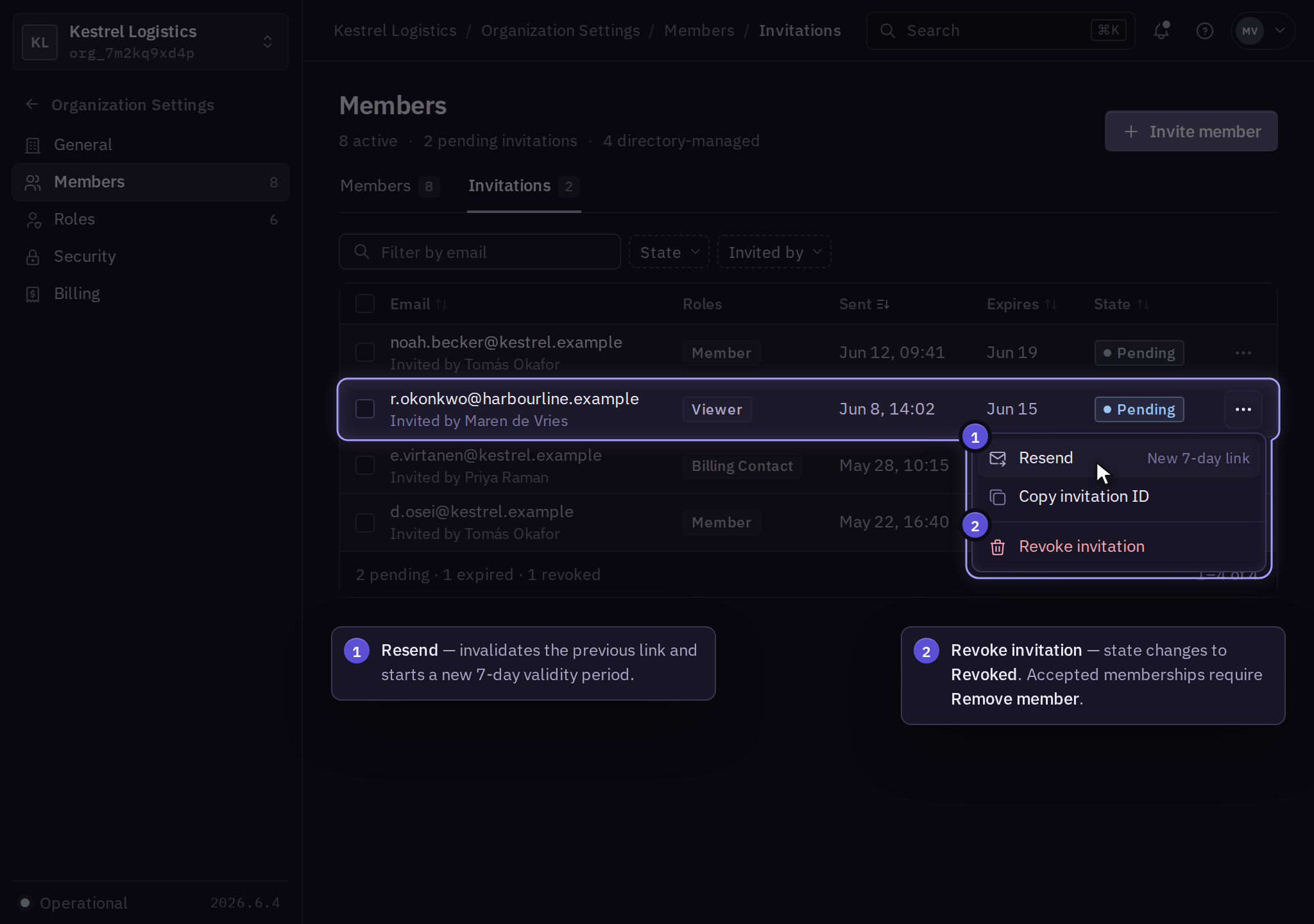
In Members → Invitations, open the invitation menu and select Resend. This invalidates the earlier link and issues a new 7-day invitation. Ask the recipient to use the latest message and check company mail quarantine.
Select Revoke invitation to withdraw an invitation. Confirm its state is Revoked. Already accepted membership must be removed through the member record.
Change or remove membership
Open Members → Member → Roles to change assignments and select Save roles. Reopen the member's Effective access view to inspect the result.
Use Members → Member → Remove member to end membership. Removal blocks new organization requests but does not delete resources owned by the organization or stop work already accepted by a product. Follow offboarding to review sessions, product credentials, and active operations. The owner must transfer ownership before removal.
Check the member list and audit activity after each change. An error leaves the displayed prior assignment in place; refresh the record before retrying an interrupted request.