Transfer organization ownership
Hand over organization control and recover ownership when the owner is unavailable.
Transfer ownership when another person takes responsibility for your business's Solarius organization. The current owner performs the handover in Console.
Prepare the handover
The incoming owner must already be a member of the intended organization and able to sign in. Confirm their work email and account security. Review billing contacts, active contracts, and ongoing administrative work before scheduling the transfer.
Transfer to a member
- As the current owner, select the organization and open Organization Settings → Members.
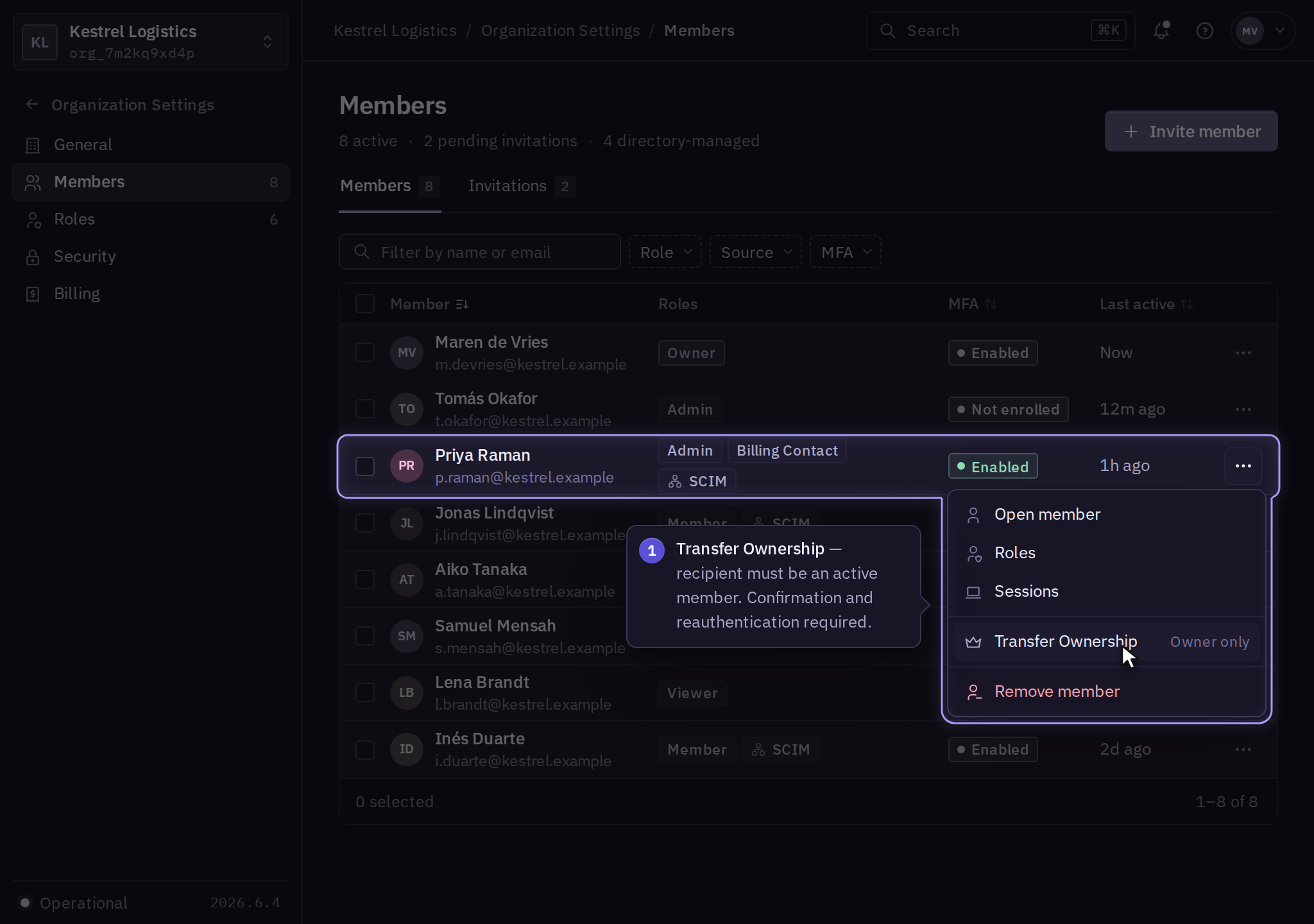
- Find the incoming owner's member entry, open its action menu, and select Transfer Ownership.
- Review the recipient and complete the confirmation and authentication prompts.
- Reopen the member list and confirm the incoming owner is recorded as owner.
- Have the incoming owner confirm administrative access, then review the outgoing owner's resulting role.
If the transfer is rejected, record the stated blocker and contact support. Do not remove the current owner's account while ownership remains unresolved.
When the current owner is unavailable
Contact support with the organization identifier, the business name, the unavailable owner's account, and the proposed successor. Support explains the evidence required and verifies business authority before recording the ownership change.
After the handover
Check audit activity and complete offboarding for a departing owner. Review contracts and payment details separately; an account-level handover does not establish a change of legal entity.