Organization audit logs
Filter administrative activity and export records for investigations and reviews.
Audit logs record organization administration and authentication activity. Open Organization Settings → Security → Audit Logs in Console. The owner, administrators, and custom roles with audit-read permission can inspect them; export requires audit-export permission.
Investigate a change
Set Time range, Actor, Action, and Outcome filters, then select Apply filters. Open an event to inspect its identifier, timestamp, actor, affected object, and result. Times are displayed with the selected time zone; exports include UTC timestamps.
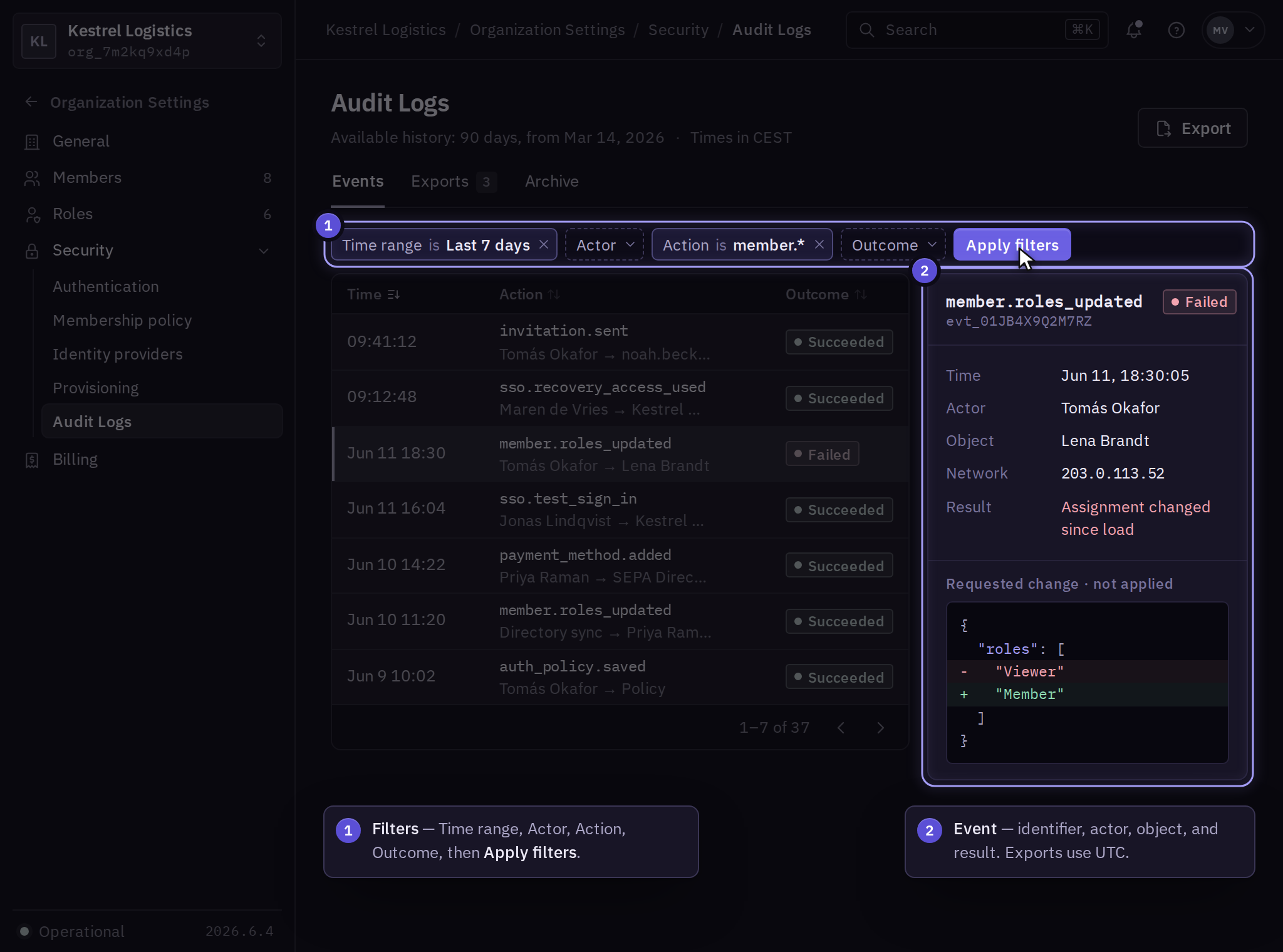
Compare the event with the current member, security, or billing record. A failed attempt and a completed change have different outcomes. Product execution and resource events remain in the affected product's audit and operation views.
An empty result can reflect filters, permissions, retention, or the wrong scope. Check Available history for the retained period and clear filters before reporting a gap to support.
Export records
You need audit-export permission to create an export.
- In Organization Settings → Security → Audit Logs, select Export.
- Choose CSV or JSON and review the organization and filtered time range.
- Select Create export. In Exports, wait for Ready, then select Download.
Failed exports show an error; preserve that error and export identifier before requesting another export. If the result is unclear, inspect Exports before creating a replacement.
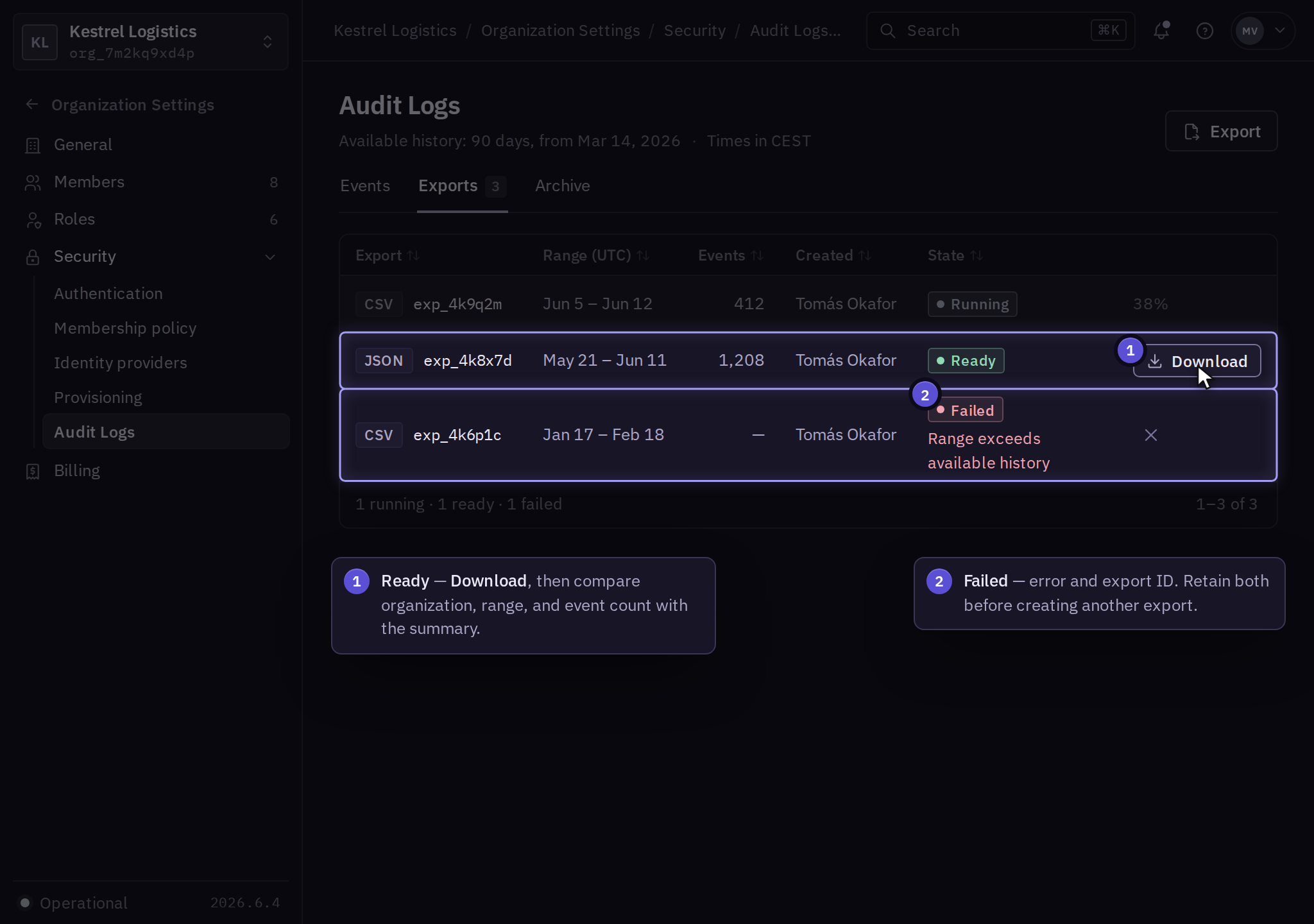
Open the downloaded file and check the organization, time range, and event count against the export summary. Store it under your business's evidence controls. An export can contain personal and security information.
Retention and forwarding
The Available history panel shows the current retention window. Standard general organization history is 90 days. Audit Archive adds 365-day history with an explicit intake allowance and coverage-gap display. Product audit retention remains in the product guide. Arrange automated forwarding through support before the business relies on it. An exported copy has its own storage and deletion lifecycle. Use retention and residency to scope those requirements.
For recurring permission checks, follow access reviews.