Manage connected applications
Review third-party authorizations and revoke access that is no longer needed.
Connected applications are third-party services authorized to access your account or business data. Begin in Account settings → Connected Apps in Console for personal authorizations. Product integrations and company sign-in have separate configuration.
Authorize an application
Start from the application's documented connection flow. Check the account and organization named on the authorization screen, the requested permissions, and who operates the application. Continue only when that scope matches the intended business use.
After authorization, check the connected-app entry in Console and test the intended action in the external application. Ask an organization administrator to review requests for organization-wide access. Personal authorization does not establish organization integration approval.
Revoke access
- In Account settings → Connected Apps, select the application and select Revoke Access.
- Refresh the list and confirm that the application no longer appears as an active authorization.
- Check the external application's connection state before reconnecting. If the authorization remains active in Console, contact support with the application and request time.
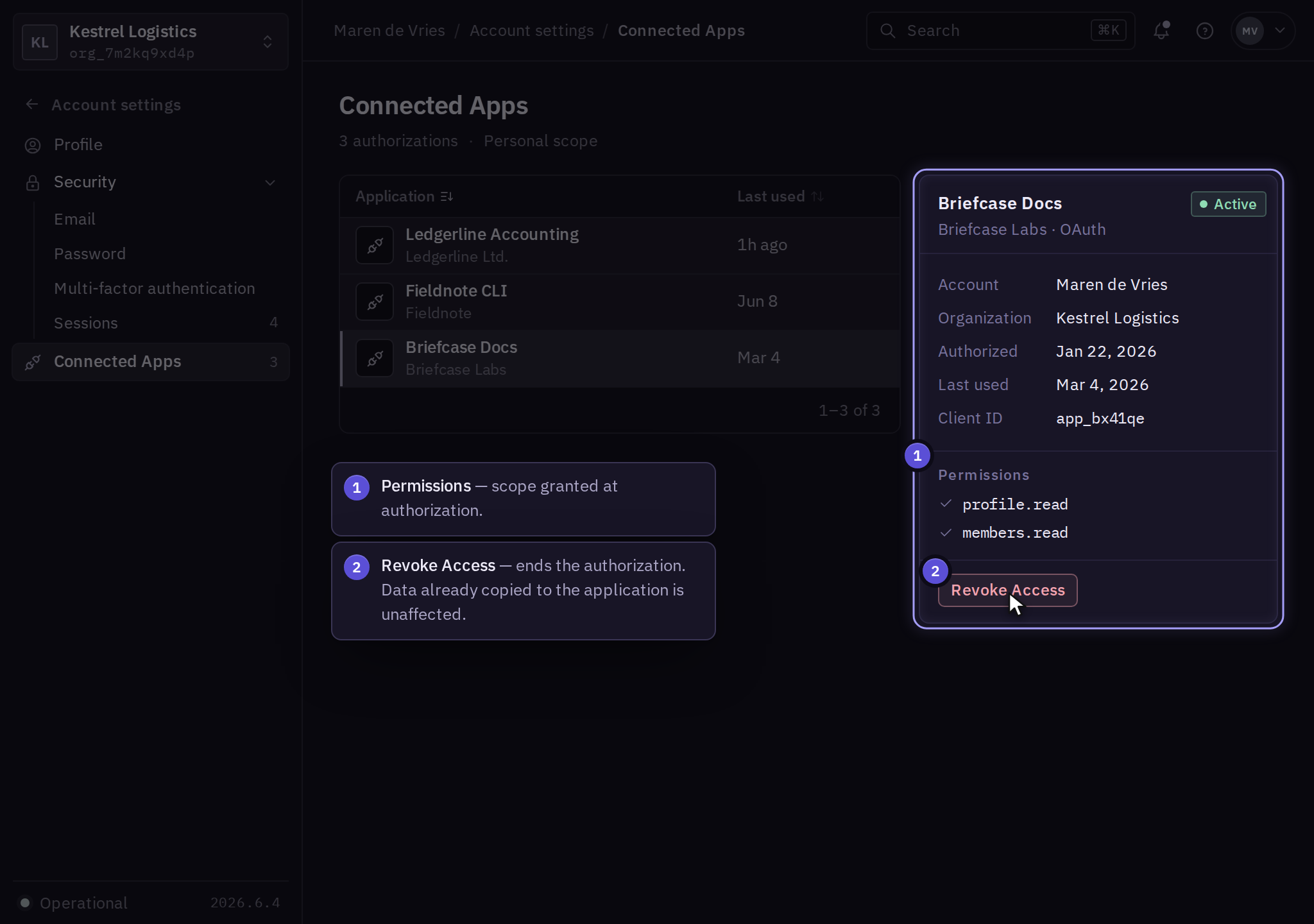
Revocation does not remove data already copied to the external service. Use that provider's retention and deletion process for exported data. Also review separately created API credentials and webhook destinations in the affected product.
Find the right integration guide
Use Connector to link Solarius products through approved resource mappings and information sharing.
Use Infra automation for infrastructure credentials and Guard integrations for security notifications and SIEM connections. For employee sign-in and provisioning, use SSO and provisioning.
Report unexpected permissions or an application you did not authorize through support.