Manage active sessions
Review signed-in devices and revoke personal or organization sessions.
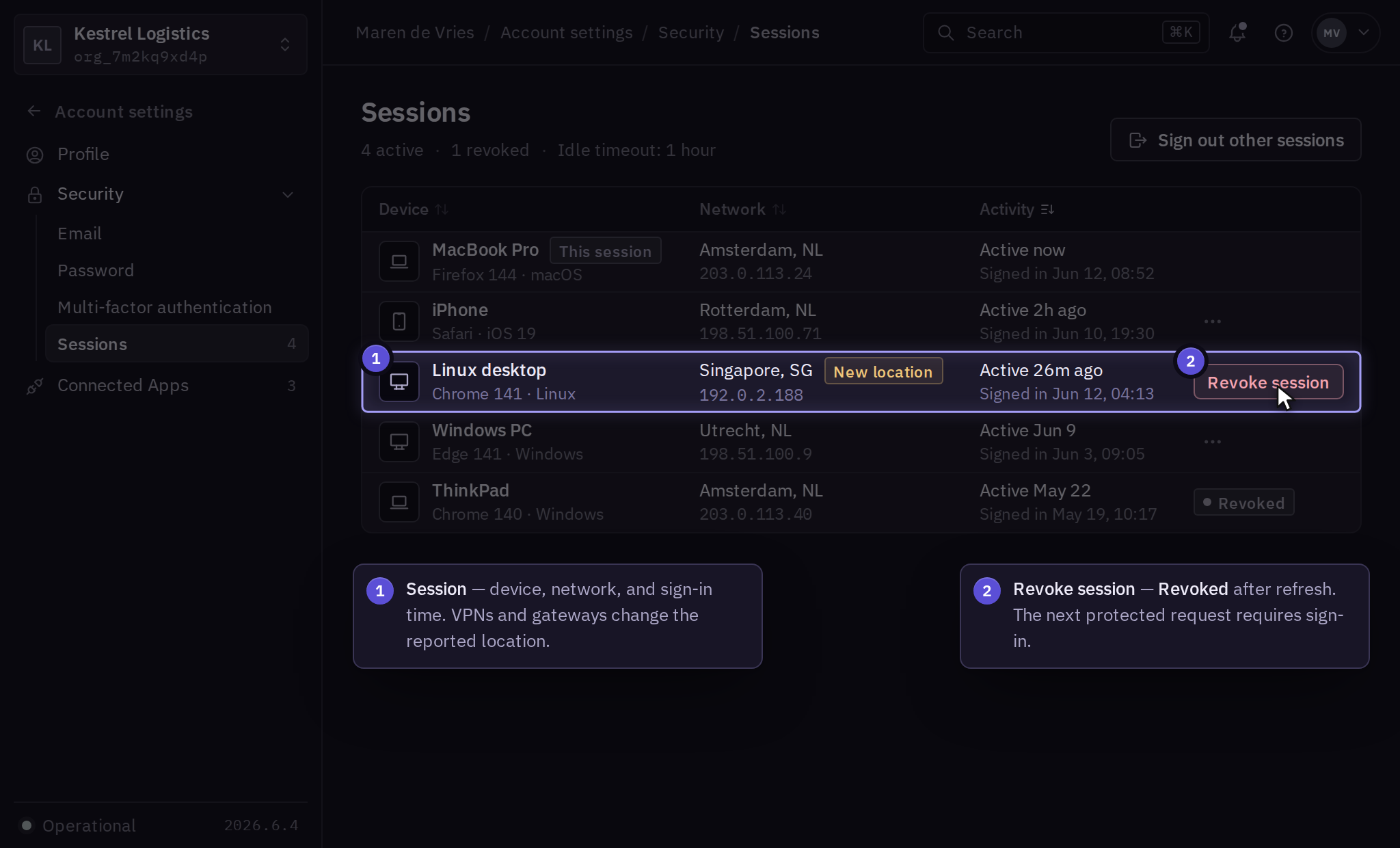
Sessions represent signed-in access to Solarius. Review your sessions under Account settings → Security → Sessions in Console.
Review and revoke your sessions
Compare the listed device, sign-in time, last activity, and network information with your recent work. A VPN or corporate gateway can affect the displayed location.
- In Account settings → Security → Sessions, open the session and select Revoke session.
- Refresh the list and confirm the session is marked Revoked. If you revoked the session you were using, sign in again and reopen Account settings → Security → Sessions to check the result. If the result is unclear, inspect the session again before repeating the request.
Use Sign out other sessions to revoke every session except the one you are using. A revoked session must authenticate again before making another protected request.
Organization administration
An authorized administrator opens Organization Settings → Members → Member → Sessions to inspect organization sessions. Select Revoke all to end that member's sessions for the selected organization. Refresh the list and confirm those sessions show Revoked. If any remain active, preserve the session identifiers and contact support. Membership in another business remains unchanged.
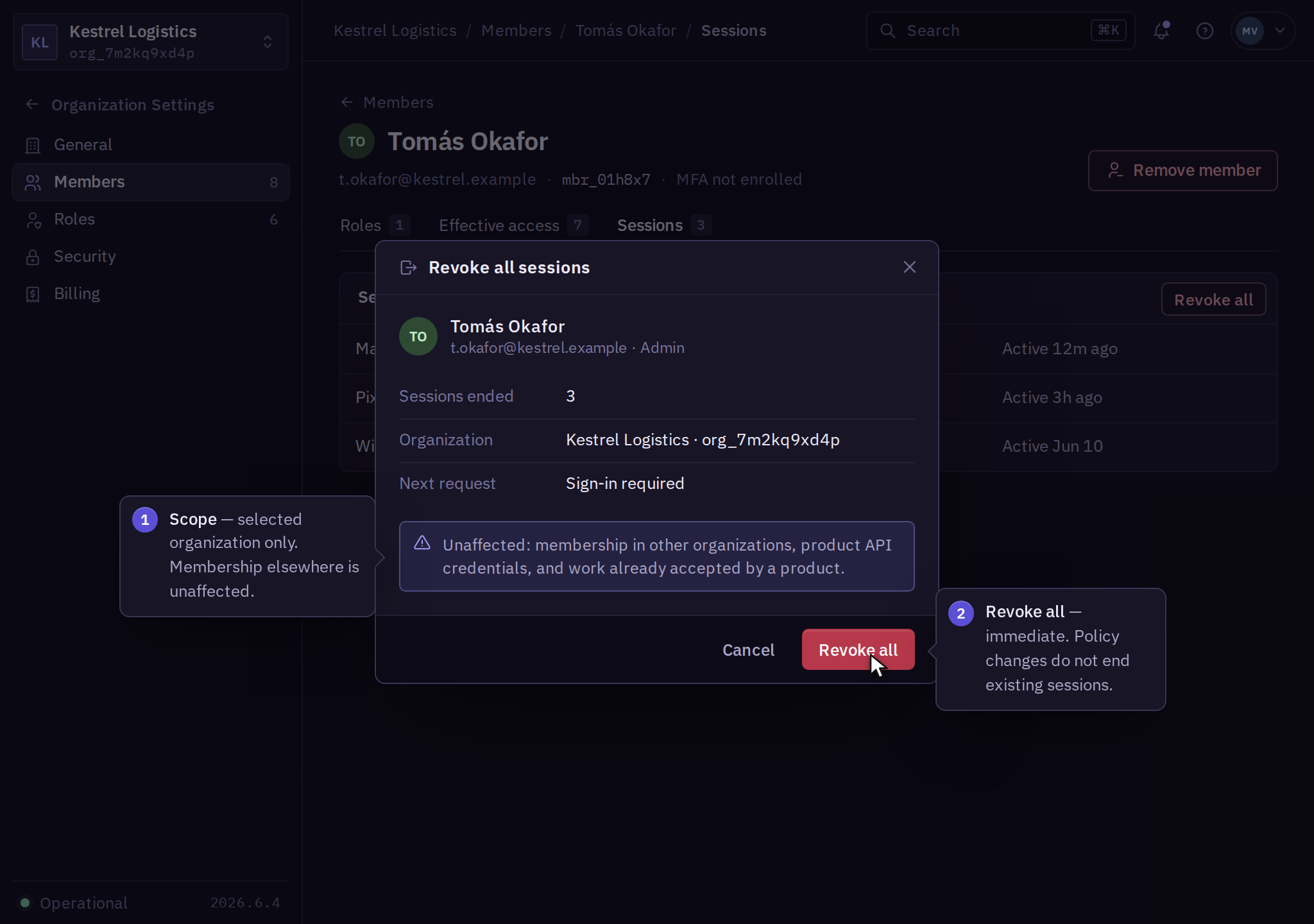
A policy update and explicit revocation have separate effects. Use organization access policies for age and idle requirements, and the session controls for immediate access termination.
Suspected compromise
From a trusted device, change your password, review MFA factors, revoke unfamiliar sessions, and notify your business's security team. Inspect connected applications and audit activity.
Sessions, external authorizations, and product API credentials are independent access paths. Use the affected product's credential procedure to revoke machine access. Revocation blocks new requests; work already accepted by a product needs separate inspection and cancellation through that product's operation controls.